
Automation
Let it work while you sleep, and read the results at breakfast
Observatories light their walkways red so nobody loses their night vision, and the instruments keep working until morning. Night shift is the same arrangement for your Claude accounts.
Night shift
A queue that waits for spare headroom
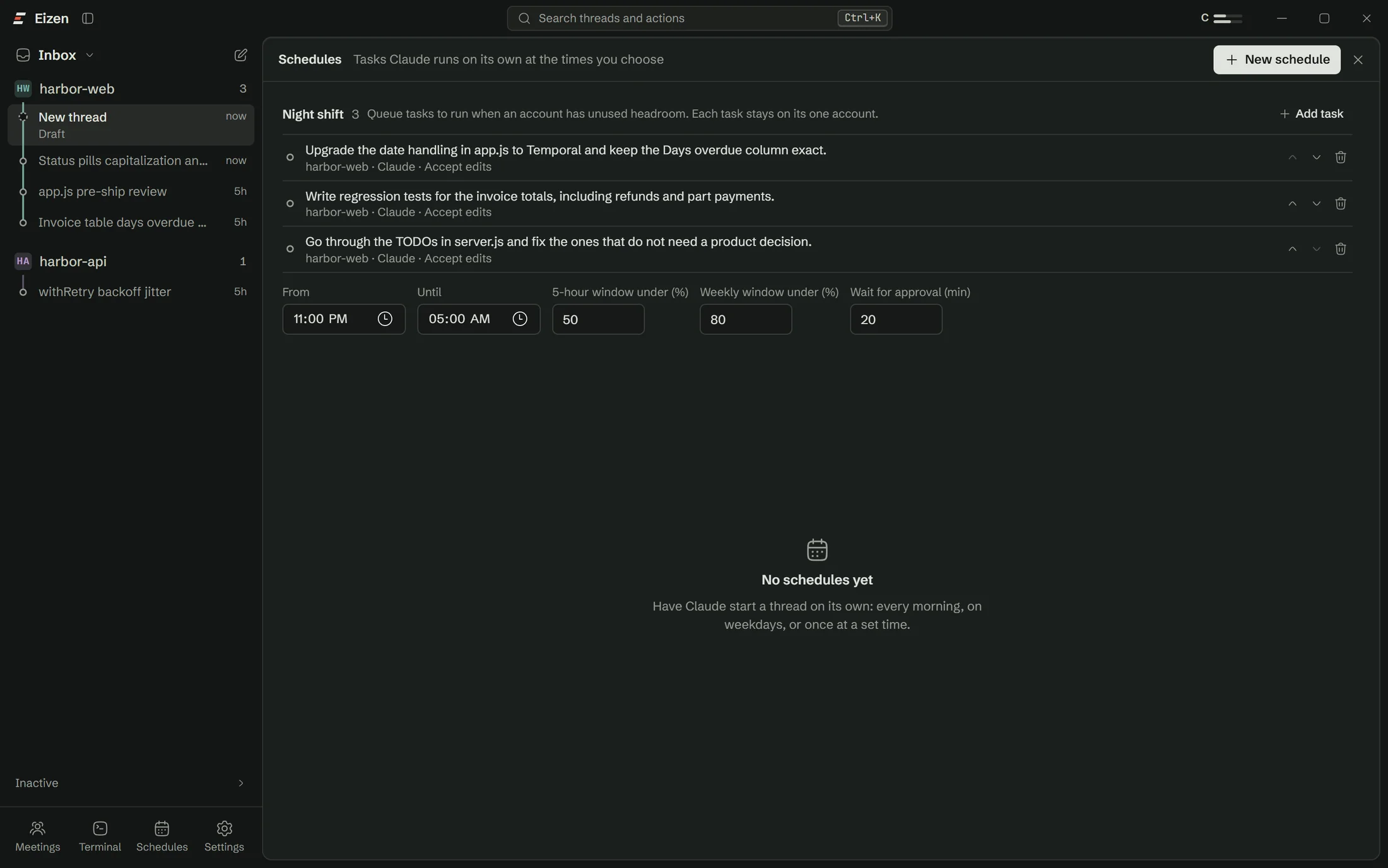
Add tasks with a project, a prompt, a permission mode, one account and a model. When the window opens, Eizen starts them in order, one at a time per project, as long as that account is under both limits.
- Window. 23:00 to 07:00 local time by default.
- Headroom. 5-hour use under 50% and weekly use under 80% by default.
- One account per task. A task never moves to another account, even with Relay on.
- Approvals. A task that waits too long on a prompt, 15 minutes by default, is stopped and reported.
How a night runs
Move the sliders and watch the queue
The hand sweeps a night. Tasks run inside the red arc, and wait whenever the account is over either limit.
Try the limits
A task starts only under both limits: 50% and 80% unless you change them.
In the morning
A summary of what happened to every task
A card in Schedules, and a desktop notification when the window closes. Quiet hours and phone alerts are respected.
| Result | What you see |
|---|---|
| Done | Files changed, tokens used, the last message, and a link to the thread |
| Needed approval | What it was waiting for when it was stopped |
| Reached a limit | Left in the queue for the next night |
| Interrupted | The app restarted during the task. It is reported and never re-run on its own |
Schedules
Start a thread on a clock or on an event
Once or on repeat
Every day, weekdays, chosen days, or every few minutes or hours.
When files change
Give patterns such as src/**/*.ts. Ignored files never count.
When a commit lands
On one branch or the current one. Claude's own commits are skipped.
When CI fails
Watches GitHub Actions and starts a thread on the failure.
Missed runs
Run when Eizen next starts, or skip.
After a restart
Eizen can start with Windows and wait in the tray.
Project checks
The turn ends when your tests pass
Give a project a command such as pnpm typecheck && pnpm test. After the agent edits files, Eizen runs it. A failure goes back to the agent with the output, up to the number of tries you set, and then comes to you.
Away mode
Get a ping when an agent needs you
Point Eizen at a private ntfy topic and your phone hears when a turn finishes or an agent asks for approval. Quiet hours hold back the sound.
Open a lane on the repo you were going to work on anyway
The setup checklist handles Claude Code, sign-in and Git, so you won't need a terminal.