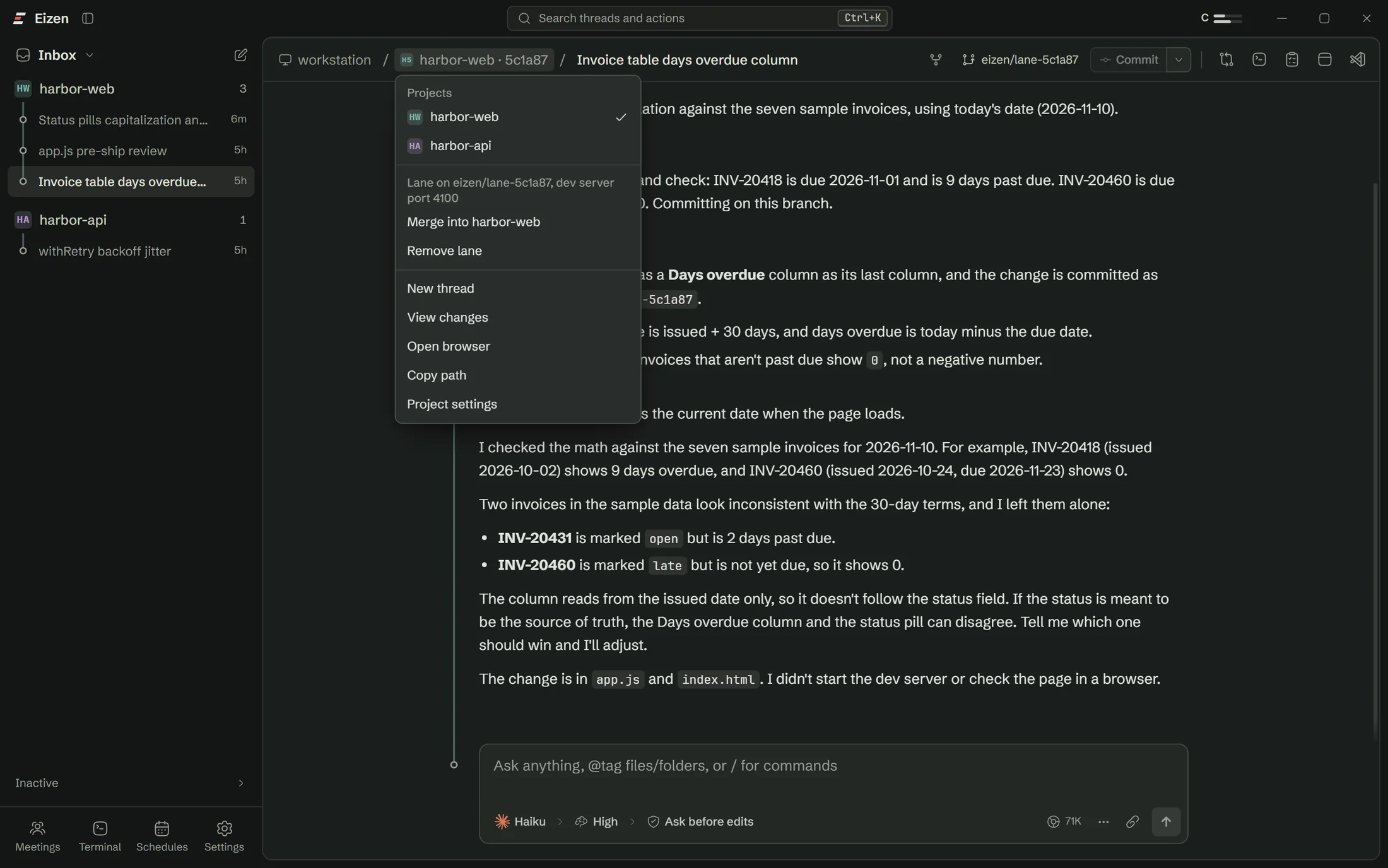
Its own folder and branch
A git worktree beside your repository, so two threads can't touch the same file.
- harbor-web/main
- .eizen-lanes/harbor-web/
- 5c1a87/eizen/lane-5c1a87
- a48476/eizen/lane-a48476
- 9bb061/eizen/lane-9bb061
Eizen is a desktop app for Claude Code, Codex and OpenCode. Each thread gets its own git worktree, dev server port and browser, so several can work on one repo at once and you merge the ones that worked.
Windows 10 and 11. Uses the accounts you already have.
Works with
Claude Code, Codex and OpenCode
Eizen runs the agent CLIs you already use and reads the same sessions, so you can start a thread in the app and resume it in a terminal, or the other way round.
Agents write code faster than anyone can read it. Two of them in one checkout will undo each other's work before lunch, and a month later nobody can say why a line is there.
One repository
Each dot is an agent working on its own branch. A merge that would conflict stops before it touches anything.
Lanes
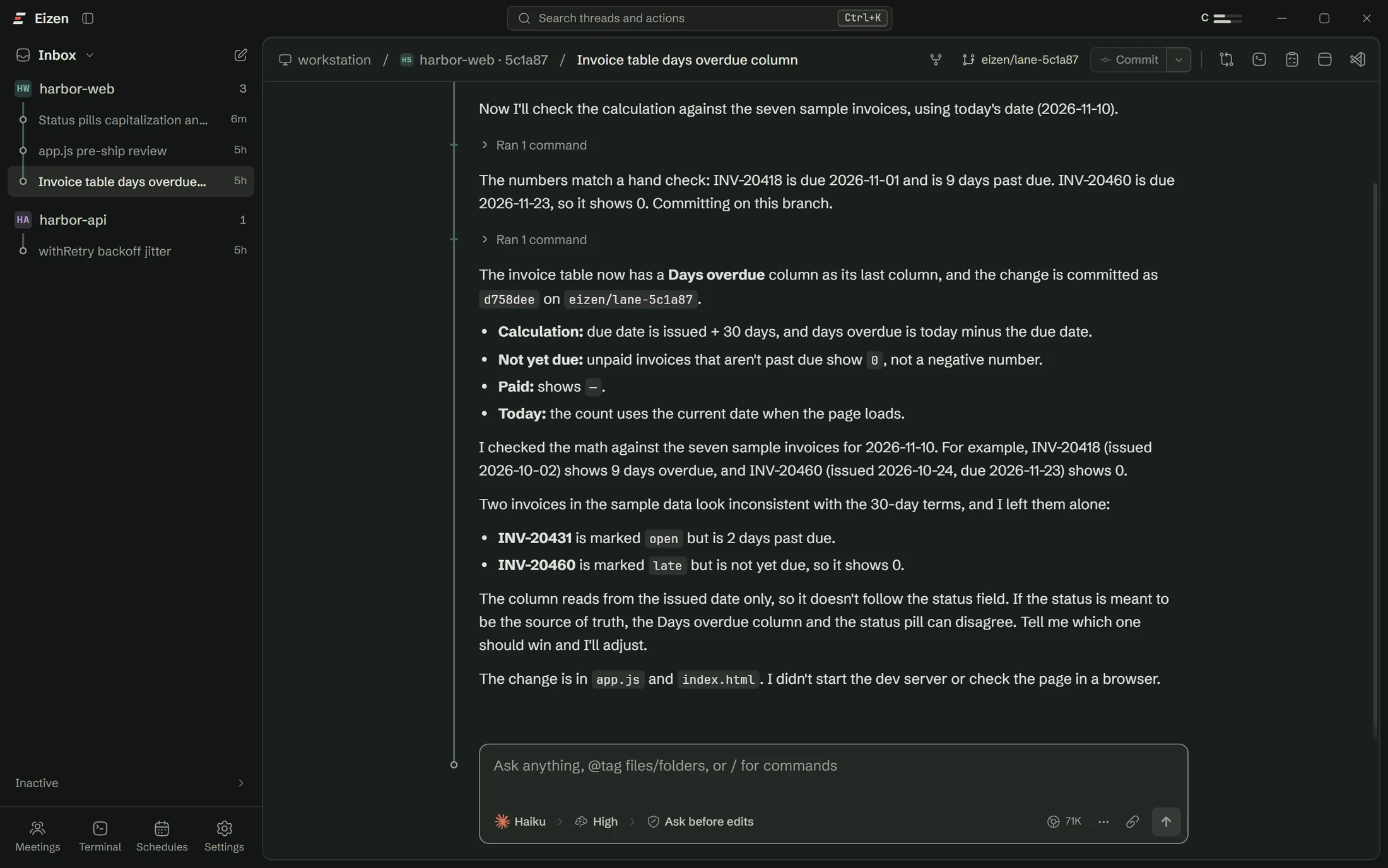
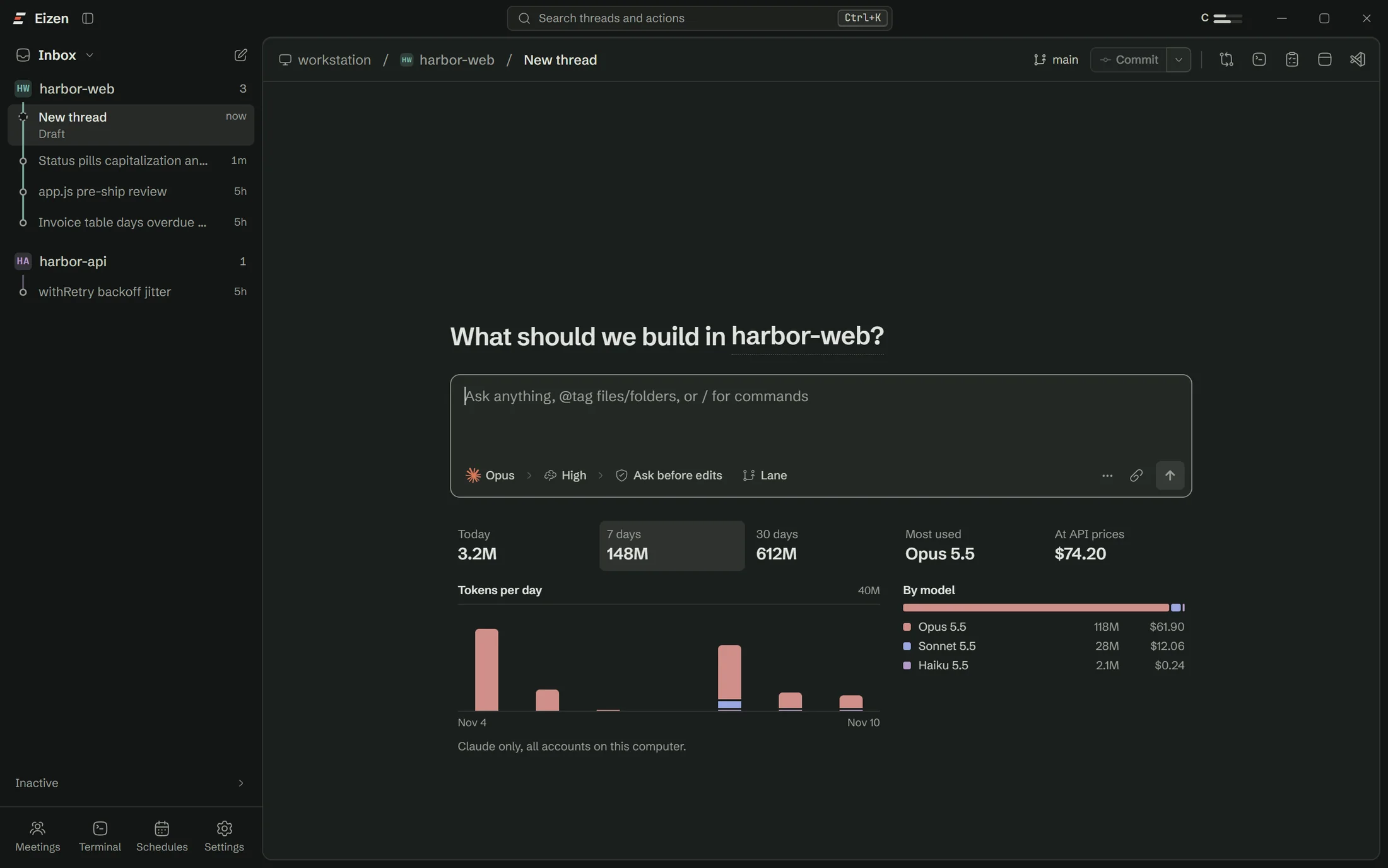
Press Lane before you send. The thread starts in its own git worktree on its own branch, with your .env files copied in and node_modules shared with the main checkout. It gets a dev server port from 4100 up, and the agent is told to use it.
What every thread gets
A git worktree beside your repository, so two threads can't touch the same file.
Each lane gets the next free port, and the agent is told to use it.
The exact command, the reason it's risky, and a clock if you set one.
The agent moves a visible pointer, reads the page and catches console errors.
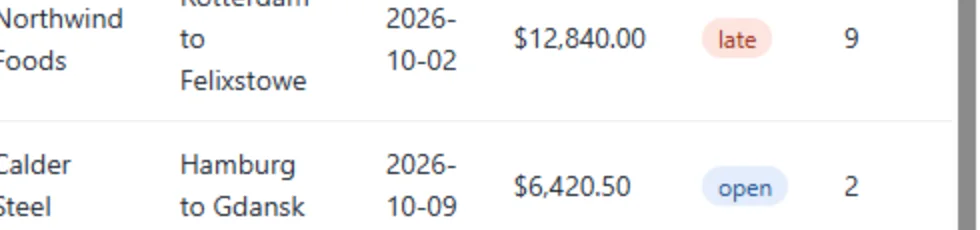
| INV-20418 | Northwind Foods | $12,840.00 | late |
| INV-20431 | Calder Steel | $6,420.50 | open |
| INV-20437 | Ostrava Glass | $3,189.00 | paid |
| INV-20452 | Lindqvist Timber | $9,774.25 | open |
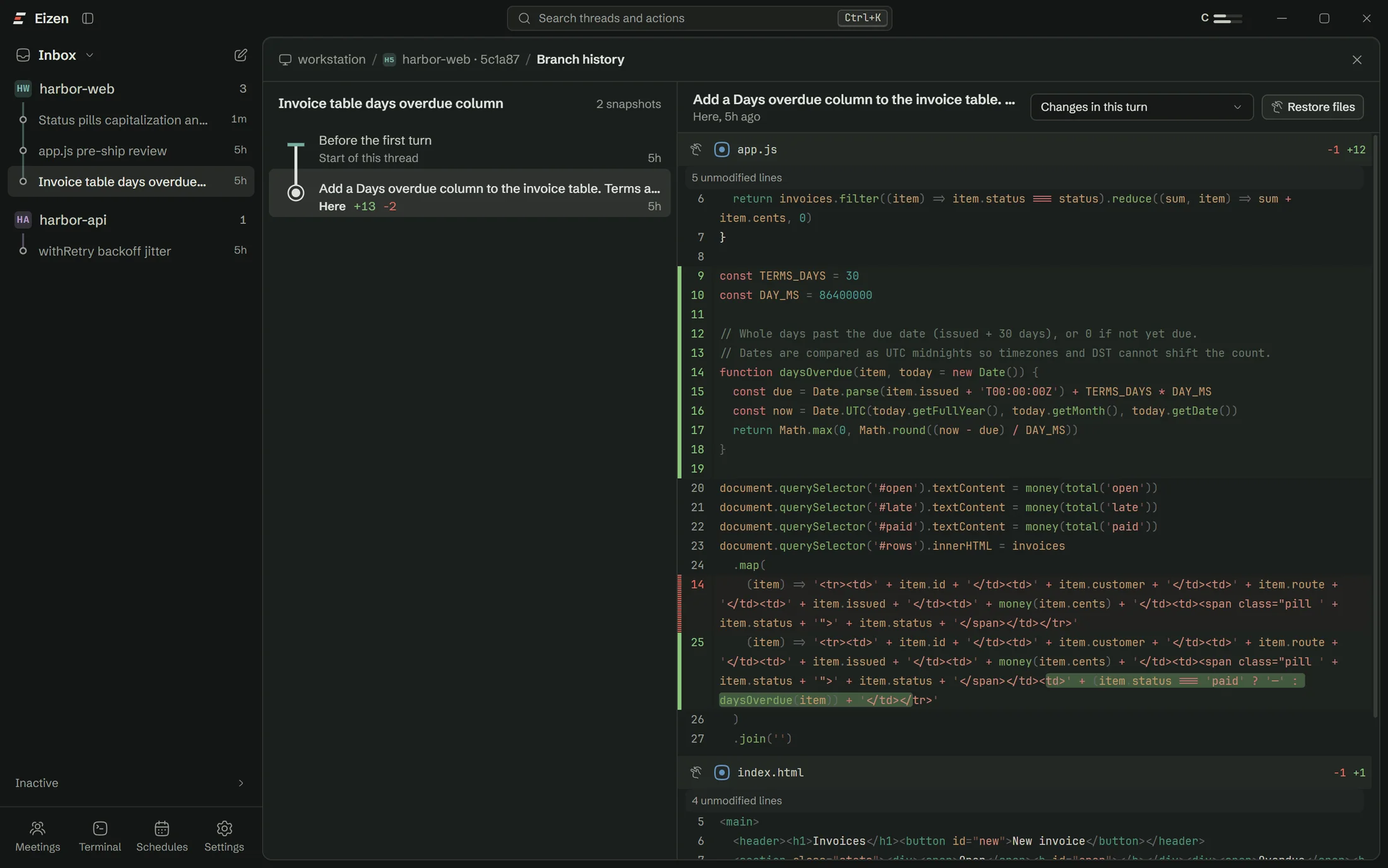
A snapshot after each turn that you can read as a diff and restore.
Tokens for the thread and for each sub agent, while they run.
Try it here
This is the lane flow with the real steps in the real order. Turn Lane off to see what it prevents, or tick the box before you merge.
Also in the app
BrowserOne real browser per thread, usable while it is off screenMemoryAsk a line who wrote it, then tell the agent the rule once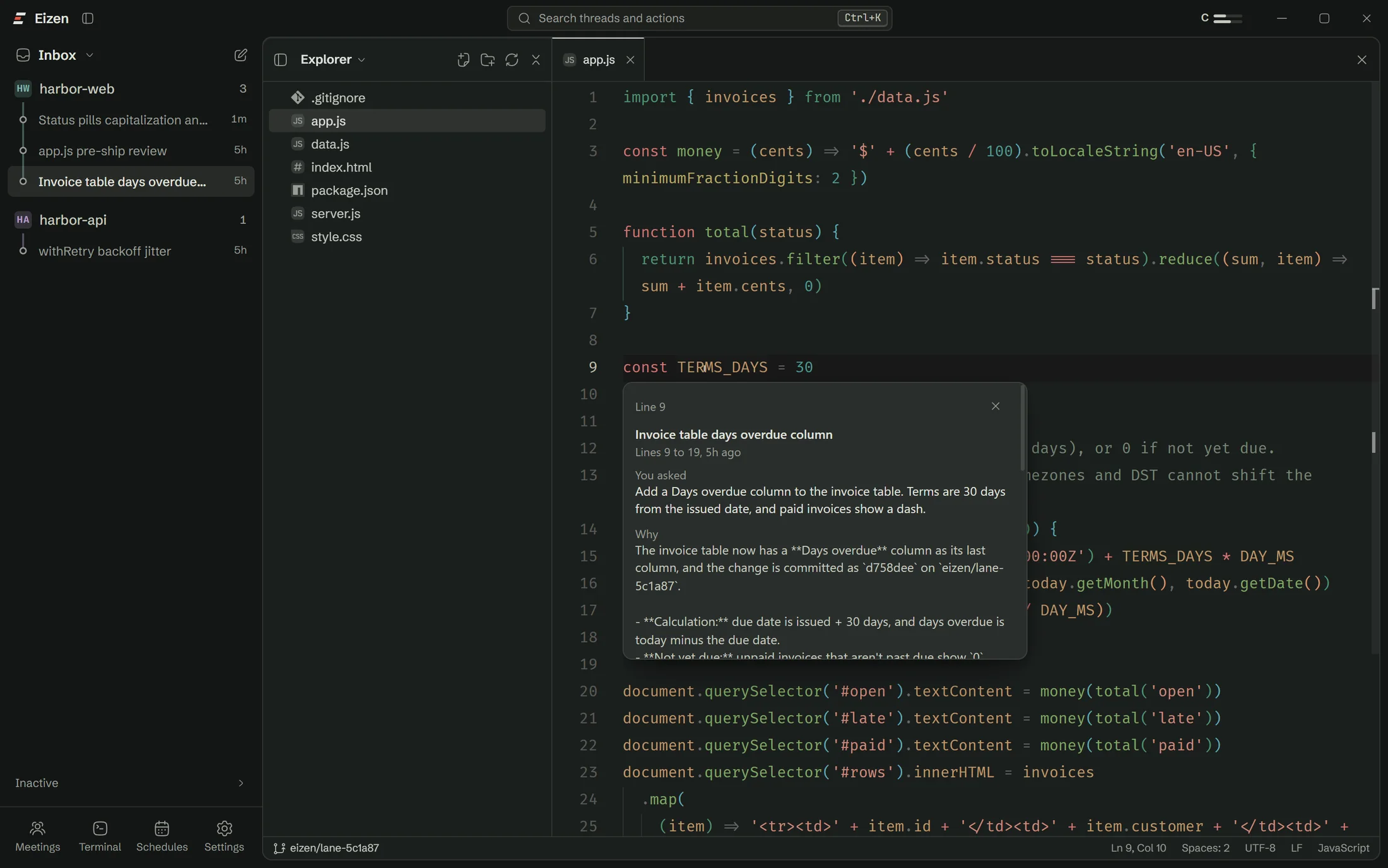 AutomationWork that starts on a clock, on a commit or on spare headroom
 MeetingsTranscribed on your computer, then handed to Claude
 ReachYour PC does the work and you check in from anywhere
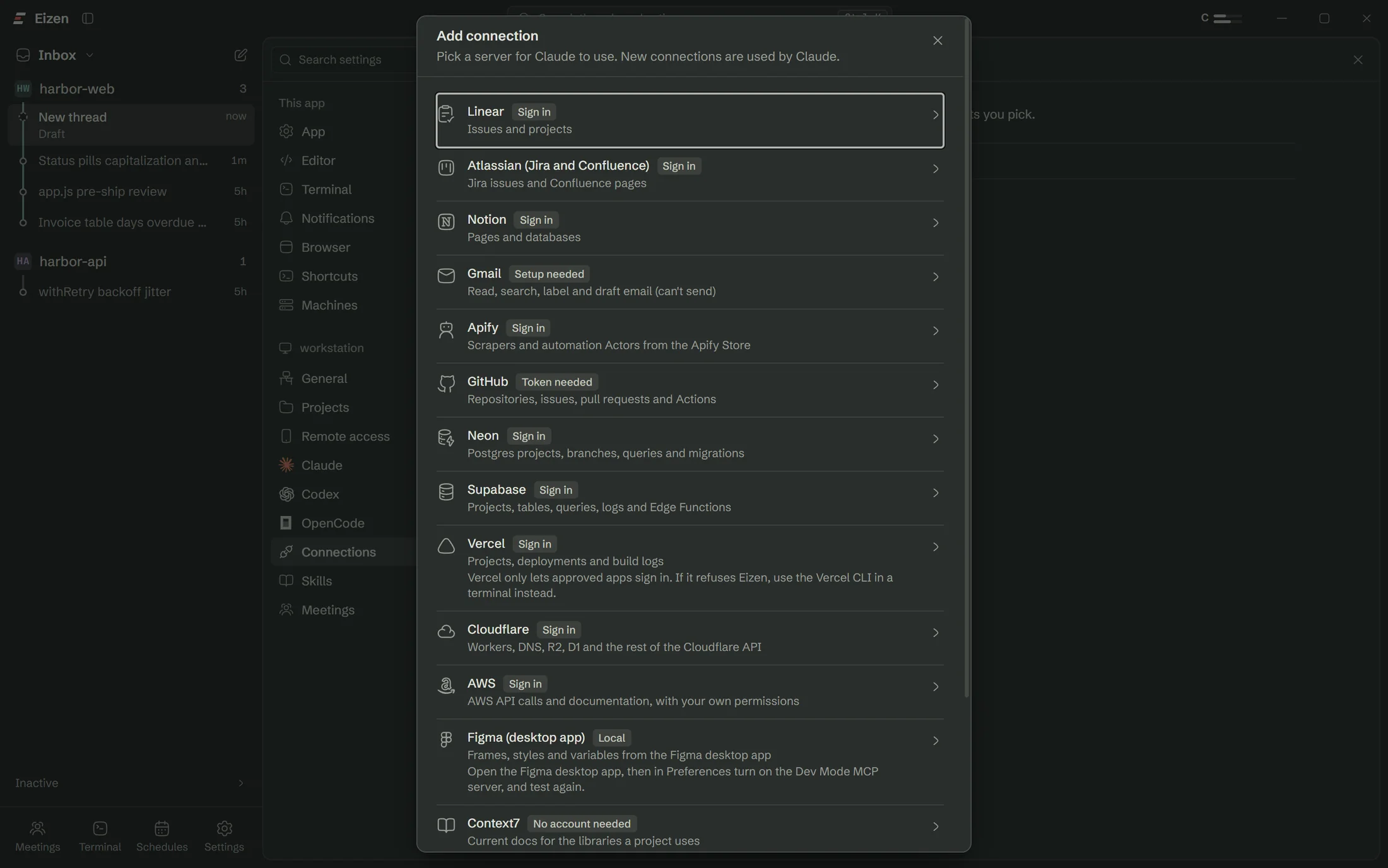
 ConnectionsGitHub, Linear, Neon, Supabase, AWS and the rest

The idea behind it
Leave a camera open under a clear sky and each star sweeps an arc around the same spot. Agents rewrite your files all day, and we wanted the branch and the reason for each change to stay put in the same way.
Before the matrix
The maths
Watch the arrows. The matrix swings most of them to a new heading. The red ones stay on their own line and only change length, by a factor called the eigenvalue.
Browser
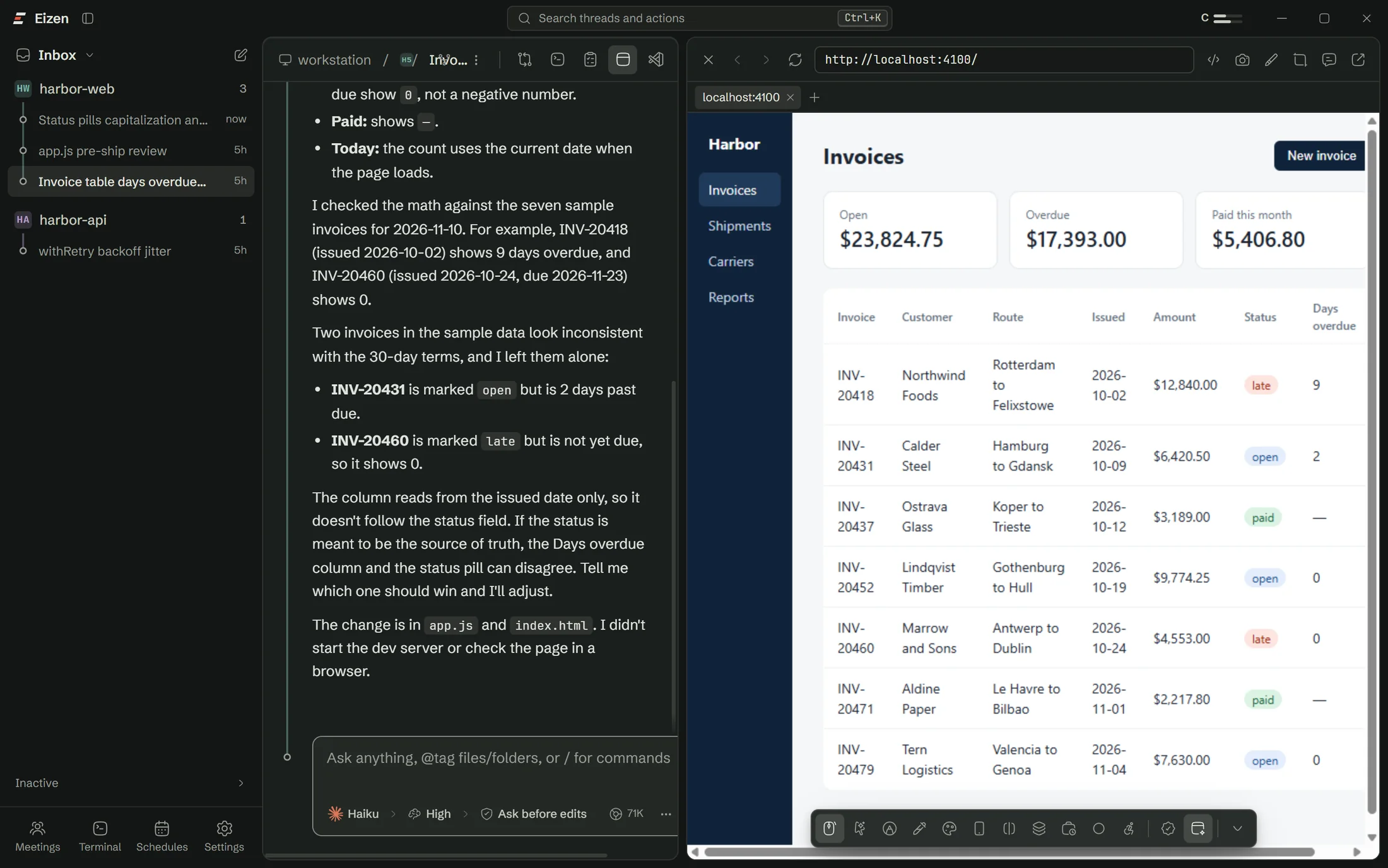
Claude opens your dev server in the thread's own browser, clicks through it, reads the console and takes screenshots, even when that thread is off screen. Websites open in a real WebView2 view, so OAuth and logins behave the way they do in Edge.
| INV-20418 | Northwind Foods | $12,840.00 | late |
| INV-20431 | Calder Steel | $6,420.50 | open |
| INV-20437 | Ostrava Glass | $3,189.00 | paid |
| INV-20452 | Lindqvist Timber | $9,774.25 | open |
Memory
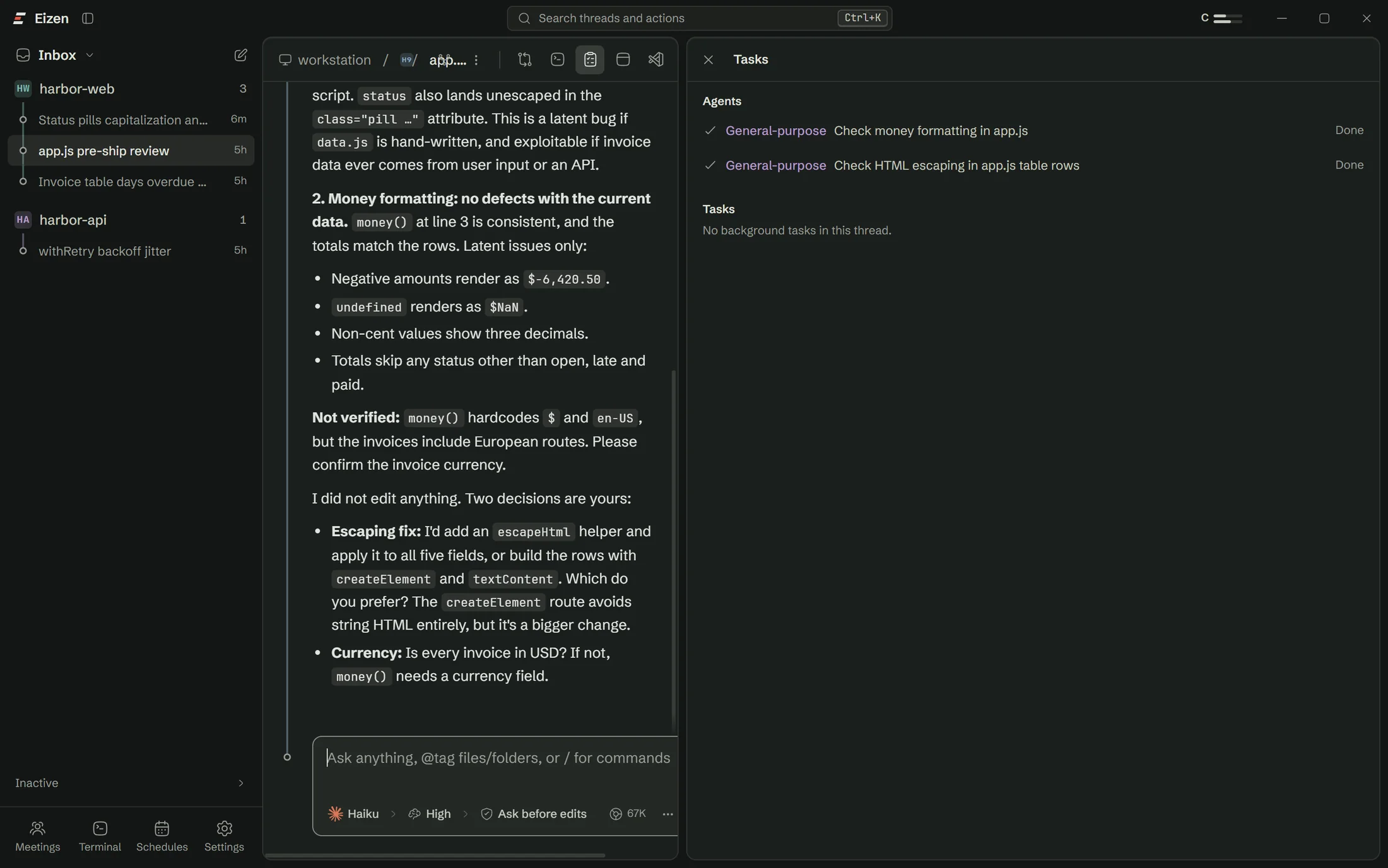
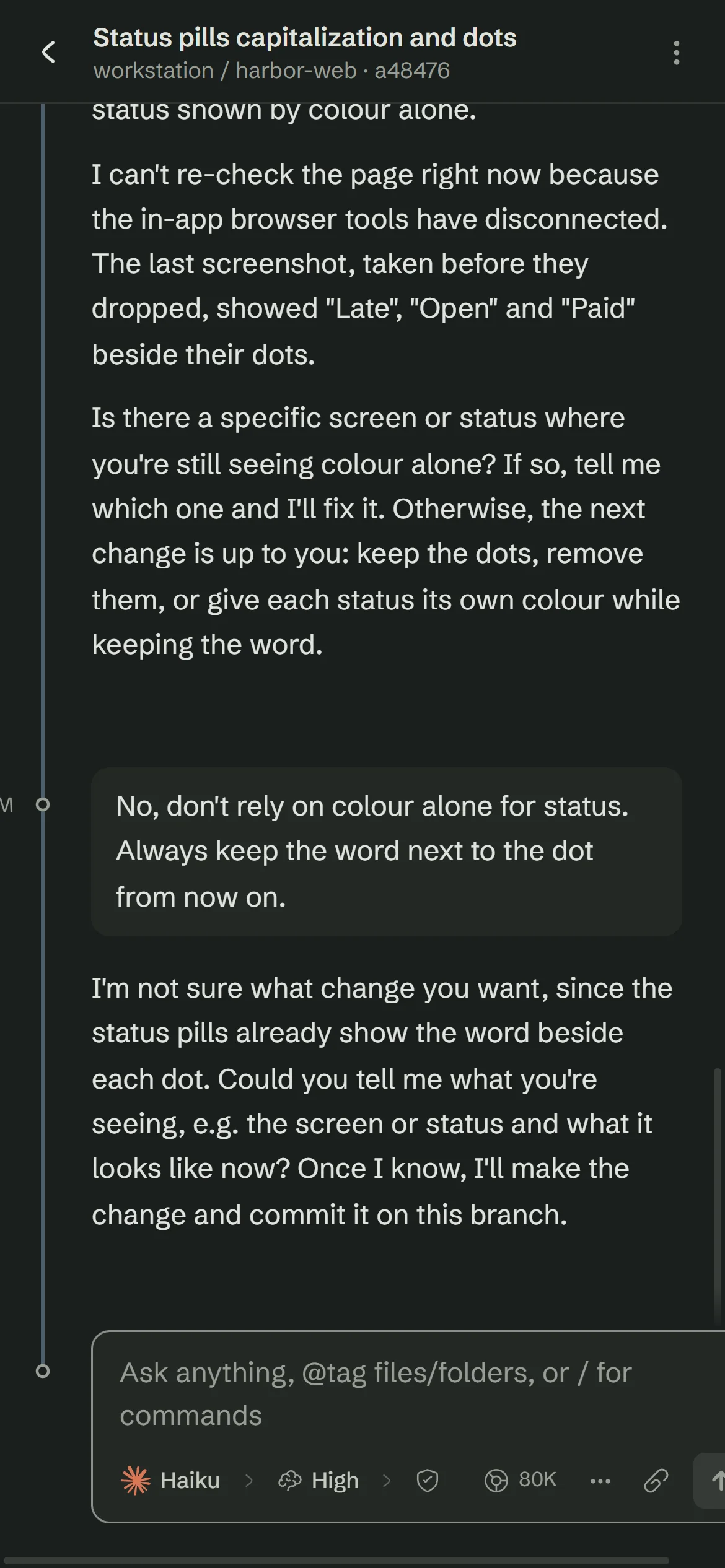
Git blame can tell you Claude changed something three weeks ago. Eizen records which turn wrote each line, so Alt+L shows the thread, what you asked for and what the agent said about it. Before the agent edits that line again, it gets the same note.
Add a Days overdue column. Terms are 30 days from the issued date.
Due date is issued plus 30 days. Whole days are compared at UTC midnight so time zones can't shift the count.
A normal day
The logo is three bars of different lengths pointing the same way. It's also a fair picture of a day with Eizen: several threads moving at different speeds toward the same main branch.
Read what ran overnight. Start three lanes on the billing repo, one for each ticket that came out of yesterday's review.
Approve the odd command from your phone. Pick an element in the browser and tell the agent what is wrong with it.
Merge the lanes that passed the project checks and queue the slow jobs for tonight.
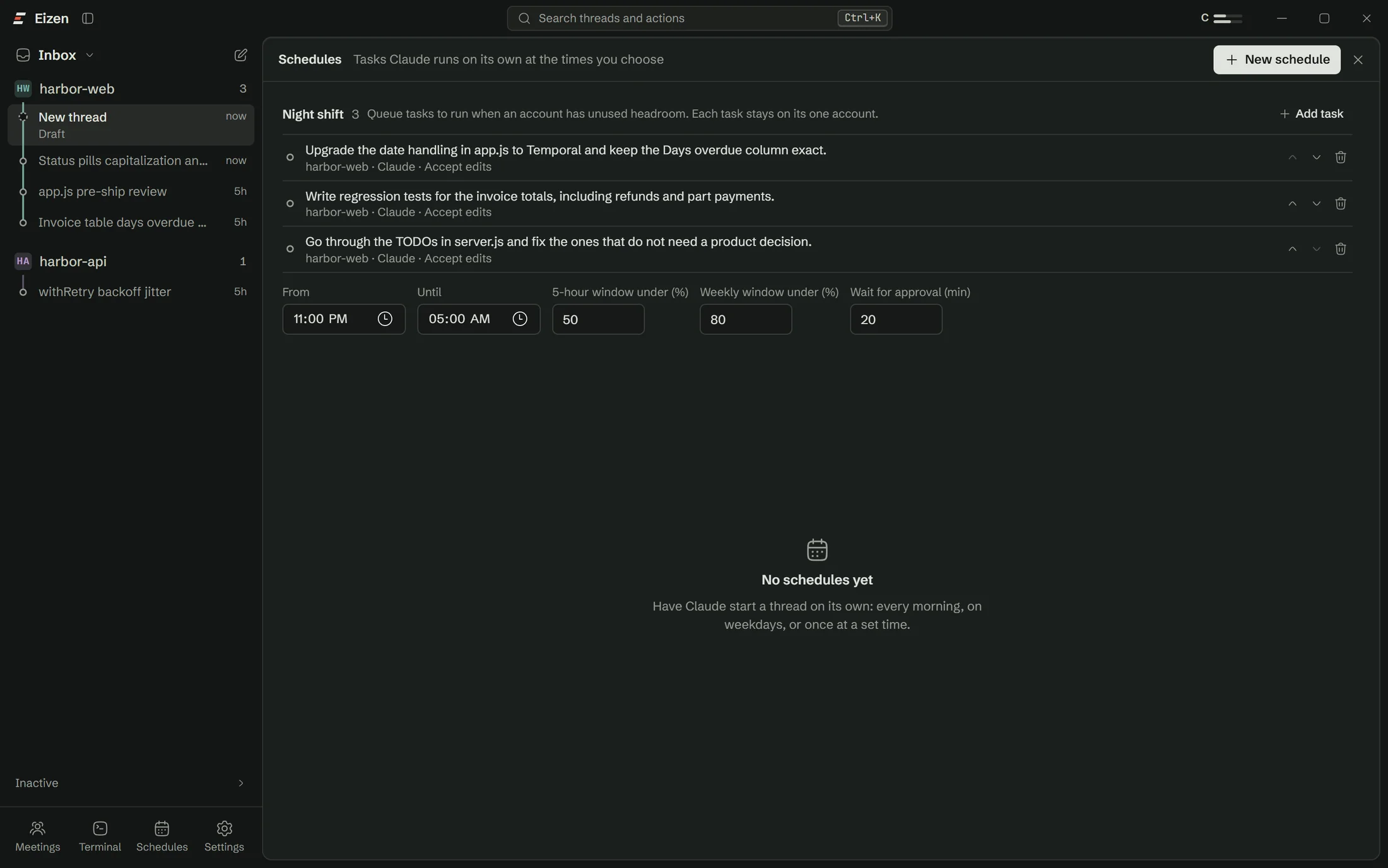
Night shift
Add tasks before you leave. Between 23:00 and 07:00 Eizen starts them one at a time per project, only while the account you chose has headroom. A task that stops for an approval is parked and reported, and the summary is there in the morning.
The rule it follows
The hand sweeps one night. Tasks run inside the red arc, and only while the account is under both limits.
Try the limits
A task starts only under both limits: 50% and 80% unless you change them.
For teams
Eizen has no admin console. A lead sets it up once on one machine and exports the settings, and everyone else imports that file. Tokens stay on each person's computer.
Compared with
Most teams already use a terminal agent, an AI editor or a hosted agent. Eizen sits on top of the first and alongside the other two.
| Eizen | Terminal agent alone | AI editor | Hosted agent | |
|---|---|---|---|---|
| Several agents on one repo | One worktree per thread, set up for you | One checkout unless you script worktrees | Usually one workspace per window | Separate cloud environments |
| Seeing the running app | A browser per thread that the agent drives | Add a browser tool yourself | Varies by editor | Screenshots from the cloud environment |
| Where it runs | Your computer, against your local services | Your computer | Your computer | The vendor's servers |
| Inline autocomplete | None | None | Yes | None |
| Works with your PC off | No | No | No | Yes |
Descriptions of other tools cover the usual setup and may change. Full comparison
Reach
Pair a phone with a QR code and keep driving threads running on your PC. Install Eizen on a laptop and your PC's dev ports appear at the same localhost addresses there, so sign-in redirects finish normally.
Security
Eizen has no server of its own. Prompts and the code an agent reads go to the model provider you chose, as they do with the CLI. Connection secrets are encrypted for your Windows user.
A prompt shows the exact command and, when it is risky, why.
With it on, force pushes and recursive deletes still stop and ask, even in Bypass permissions.
List the paths agents may read and never edit.
A failing test run goes back to the agent before the turn can finish.
Connections
Sign in, pick which Claude accounts may use it, and the tools appear in the next message. Any other MCP server works through Custom.
Questions
The setup checklist handles Claude Code, sign-in and Git, so you won't need a terminal.